Blog / SEO
How Do I Increase My SEO? A Practical Guide for Small Businesses
No tricks, no keyword stuffing. Here is what actually helps a small business show up in search, and the order to work on it.

By Zack Lekas · · 5 min read
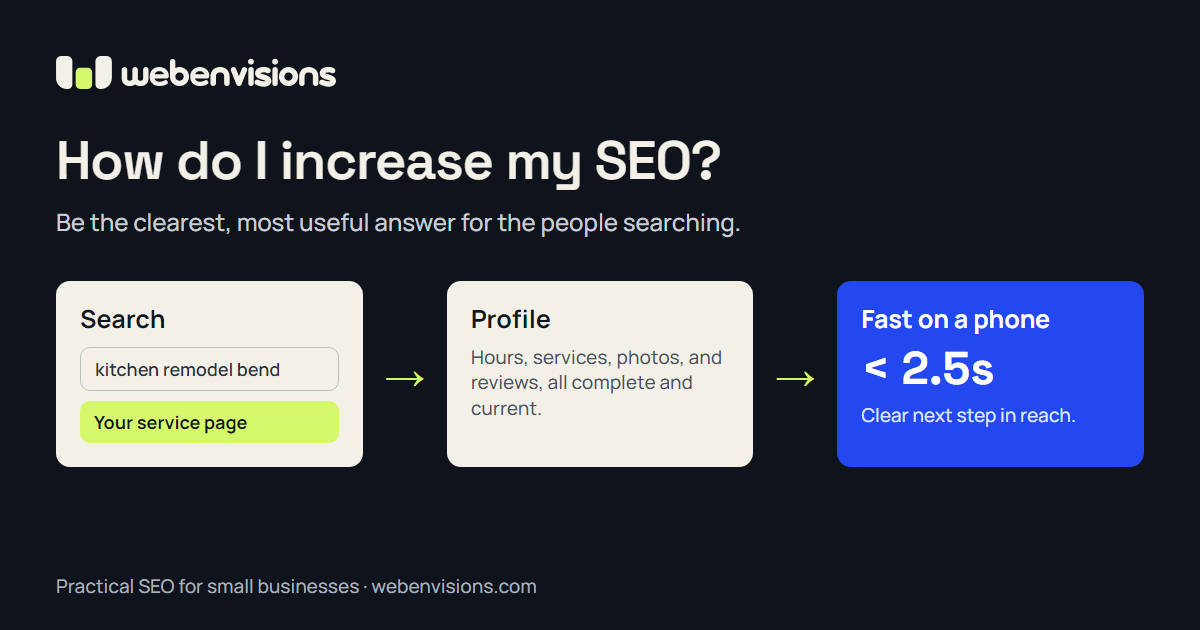
“How do I increase my SEO?” is one of the most common questions small business owners ask me.
The honest answer is less exciting than most SEO pitches. There is no secret setting or guaranteed first-page trick. Search engines are trying to show people the most useful result for what they typed. The work is making it easy for them to see that your business is that result.
Here is where I would start, roughly in order. For the bigger picture, from planning pages to launch, see my Small Business Website Guide.
What SEO actually means
SEO stands for search engine optimization: improving your website and online presence so more of the right people find you through search.
The key word is right. Ranking for a broad phrase nobody in your area searches for does little. Showing up when someone nearby types “bathroom remodel quote” or “dog groomer open Saturday” can bring in real customers.
1. Give every main service its own clear page
Many small business sites list every service on one page in a single paragraph. That makes it hard for search engines, and customers, to tell what you actually do.
A stronger setup gives each main service its own page with:
- A clear title that uses the words customers use, such as “Kitchen Remodeling in Bend” rather than “Our Craft”
- What the service includes, who it is for, and what it typically costs or how pricing works
- Photos of your real work
- The area you serve
- A direct next step, like a quote request or booking link
Google’s SEO Starter Guide recommends descriptive titles and page content written for people, using the words they would search with. You do not need to repeat a keyword dozens of times. Write the page you would want to read if you were the customer.
2. Complete your Google Business Profile
For local businesses, your Google Business Profile often matters as much as your website. It powers the map results and the business panel people see when they search for you or for a service nearby.
Google says local results are based mainly on relevance, distance, and prominence. Their guidance on improving your local ranking is practical:
- Fill in every field: categories, services, hours, service area, and a description
- Add real photos and keep them current
- Make sure your name, address, and phone number match your website exactly
- Ask happy customers for reviews, and reply to the reviews you get
Replying to reviews, including the critical ones, shows future customers that someone is paying attention.
3. Make your site fast and easy on a phone
Most local searches happen on a phone, often when someone is ready to act. If your site loads slowly, text is tiny, or the call button is hard to find, people leave and pick the next result.
Google measures page experience through Core Web Vitals, which look at loading speed, how quickly the page responds, and whether things jump around while it loads. You can check your own site for free with PageSpeed Insights.
Common fixes include compressing large photos, removing plugins and scripts you no longer use, and choosing a hosting setup built for speed.
4. Answer the questions customers already ask
Think about the questions you answer on the phone every week:
- How much does it usually cost?
- How long does it take?
- Do you serve my area?
- What should I do before you arrive?
Each of those can become a section on a service page, an FAQ entry, or a short blog post. This is what Google means by helpful, people-first content: content that leaves a visitor feeling they learned what they came for.
One genuinely useful post every month or two beats a stream of thin articles written only to target keywords.
5. Get the technical basics right
You do not need to become a developer, but a few basics matter:
- Each page has a unique title and description. These are often what appears in search results.
- Your site uses HTTPS. The padlock in the browser bar.
- Search engines can find your pages. Submitting a sitemap through Google Search Console helps, and Search Console also shows which searches bring people to your site.
- Images have descriptive alt text. This helps people using screen readers and helps search engines understand the image.
- Links between your pages make sense. A service page can link to related services, your work, and your contact page.
6. Earn mentions from other local sites
Links and mentions from other reputable websites signal that your business is real and trusted. For a small business, the best ones usually come naturally:
- Local business directories and your chamber of commerce
- Suppliers, partners, or brands you work with
- Local news, community events, or organizations you sponsor
Avoid anyone selling bulk links. They rarely help and can hurt.
What to skip
Some advice is outdated or simply a waste of money:
- Keyword stuffing. Repeating a phrase unnaturally makes the page worse for readers.
- Guaranteed rankings. Nobody outside Google controls the results.
- Dozens of near-identical pages for every town name with the same text swapped in.
- Chasing traffic for its own sake. A hundred visitors who need your service beat ten thousand who do not.
How long does SEO take?
Usually months, not days. Quick fixes like a completed business profile or a corrected page title can help within weeks. Content and reputation build over time.
Measure what matters to the business: calls, quote requests, bookings, and where they came from. Rankings are a means, not the goal.
A ten-minute SEO check
- Search for your main service plus your town. Where do you appear, and what do competitors’ pages have that yours do not?
- Open your site on your phone. Can you find the phone number and next step in under five seconds?
- Look at your Google Business Profile. Is every field complete and are your hours right?
- Read your homepage title in the browser tab. Does it say what you do and where?
- Check your last five reviews. Have you replied?
If those answers point to a website that is slow, unclear, or hard to update, that is often where the biggest gains are.
Want a second set of eyes?
I build fast, clear custom websites for small businesses, structured so customers and search engines can tell what you offer, and my rebuilds carry your existing rankings and links across. You can estimate your project on the pricing page in about a minute, or see how I work with businesses in Bend and across Central Oregon.
If you are not sure where your site is falling short, tell me what you do and where you serve, and I will point out the first things worth fixing.