Guided product finder
A bike finder that turns a few answers, or one typed sentence, into a short list with the reasons each bike made it and what still needs a person.
Working demo on this site. Lavaline Cycles is a fictional bike shop, and its bikes, prices, and stock are examples. Nothing you enter in the demo is sent anywhere.

The need
Shops with more than a handful of products lose people at the same moment: a shopper who doesn't know the vocabulary faces a full catalog and a filter panel. The usual result is a vague email, a phone call, or nothing. The finder asks about the riding someone wants to do and their budget, in their words, and does the narrowing for them.
For: Shoppers who know how they want to ride but not which bike that means, and shop staff who want inquiries that already say what the customer wants and what still needs checking.
What I did
Designed and built by Zack: the step-by-step flow, the catalog and eligibility rules, the explanations on every result, comparison and the prepared request, the connection to a live AI model, and the keyword rules it falls back to.
Key decisions
Clicks and words feed the same rules
Tapping Commuting and typing 'something for commuting and gravel under $1,800' both produce the same change to the shopper's choices, so there is one set of rules to trust. Typed sentences go to Claude, which may only return values from fixed lists with the words it based them on; the server drops anything off the list or not actually in the visitor's text. If the model is slow or unavailable, keyword rules in the browser answer instead and the page says which one did.
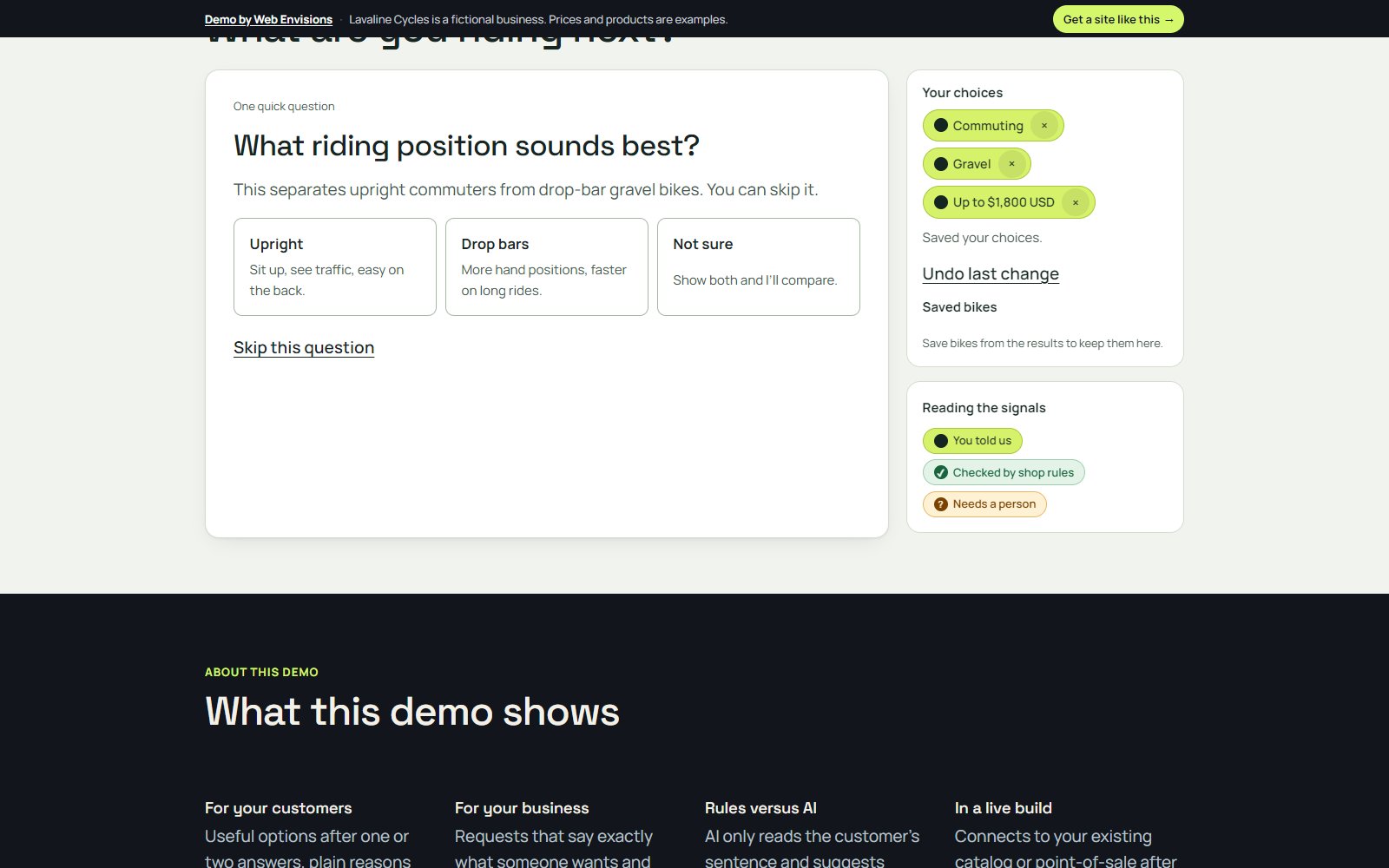
Ask only when the answer changes the result
Rules filter the catalog first, then rank only the bikes that are eligible. The finder asks about riding position only when the eligible bikes actually differ in position, and every question can be skipped. Undo and removable choice chips make it safe to explore.
Explain every result, and flag what needs a person
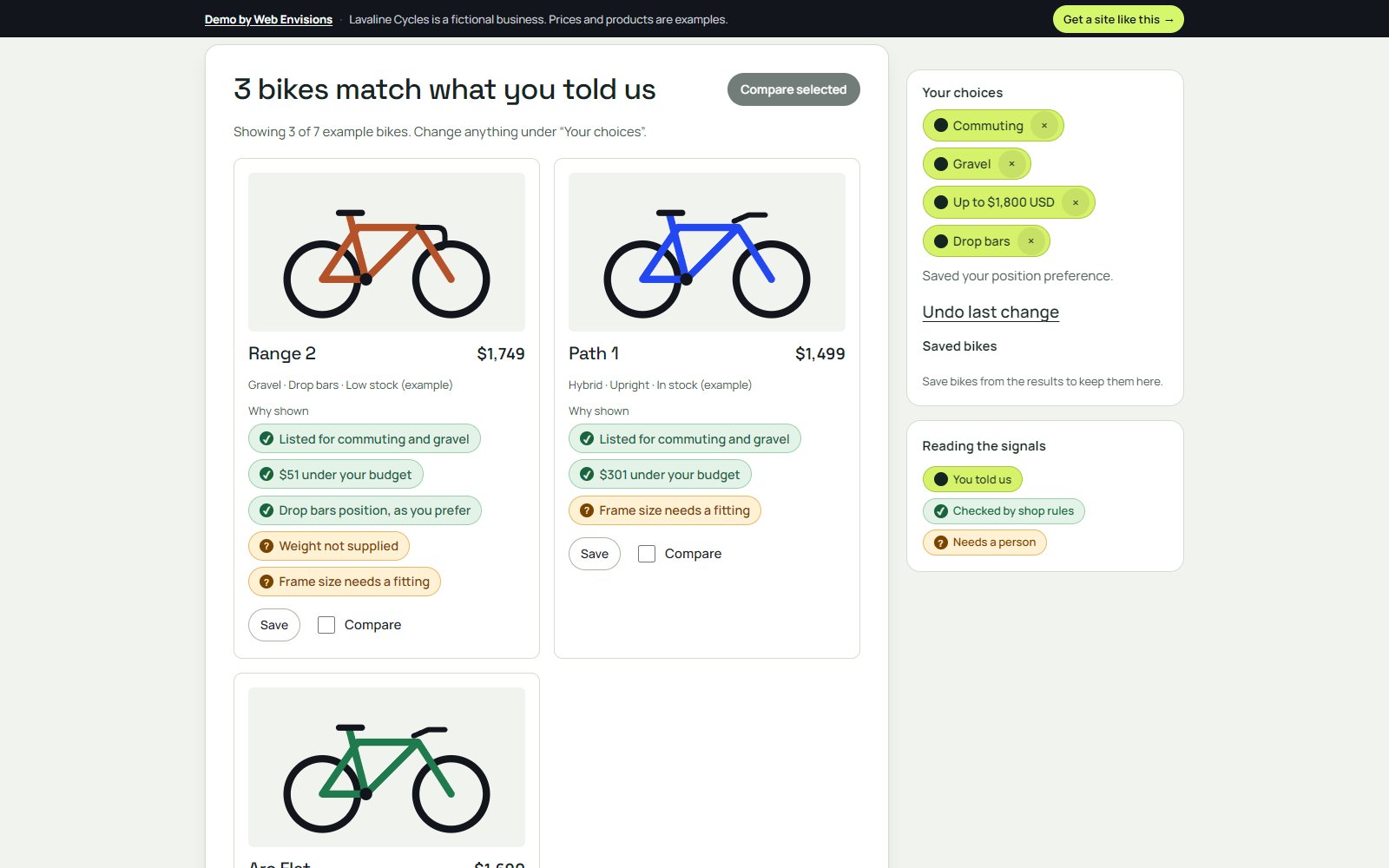
Each bike shows why it was shown, like 'Listed for commuting and gravel' or '$51 under your budget', and marks what the page can't settle on its own, like a frame size that needs a fitting or a weight the catalog doesn't list. Shoppers can compare bikes side by side and send a request that already contains their choices.

What changed along the way
- Every choice in the first step now leads somewhere. Early versions had options that ended in a 'not connected in this demo' note; used bikes, tires, gear, and repairs now each get their own working next step, because a choice that dead-ends undermines the ones that work.
- The demo became a believable shop. It started as a generic widget; dressing it as Lavaline Cycles, with its own header, pages, and a clear 'fictional business' bar, makes it much easier for a shop owner to picture it on their own site.
- Live AI arrived after the rules, not before. The finder worked on rules and keyword matching first, so adding a model only improved how well it reads sentences. Nothing breaks when the model is unavailable.
Where it stands
Live on this site as a working demo with a fictional catalog of new and used bikes, tires, gear, and repairs. Typed sentences use Claude when it is available and keyword rules when it isn't. Requests are prepared on the page and never sent. For a real shop it would connect to the shop's own catalog or point-of-sale after a feasibility check.
Want something like this for your business?
Get a quote