Website project estimator
The estimator on my pricing page: pick a package or describe the project, shape it, and see an honest price range with what still needs a conversation.
This is Web Envisions' own pricing tool, in use on this site. Every result is an estimate, not a quote; the fixed price comes in writing once the details are confirmed.

The need
Most web design sites either hide prices or show a single 'starting at' number. Both leave visitors guessing whether a project is in reach. I wanted visitors to see a realistic range for their own project in about a minute, built from the same numbers I quote from.
For: Small business owners deciding whether a custom website fits their budget, and Zack, who receives inquiries that already include the package, size, features, and range the visitor saw.
What I did
Designed and built by Zack: the packages and add-on pricing, the estimator, the description-to-estimate feature using live AI with keyword fallback, and the hand-off of the estimate into the contact form.
Key decisions
One pricing file for everything
The packages, the estimator, the AI suggestions, and the price list on the Websites page all read from one pricing file. Change a price there and every page agrees, so a visitor never sees two different numbers for the same thing.
Describe it, check it, then apply it
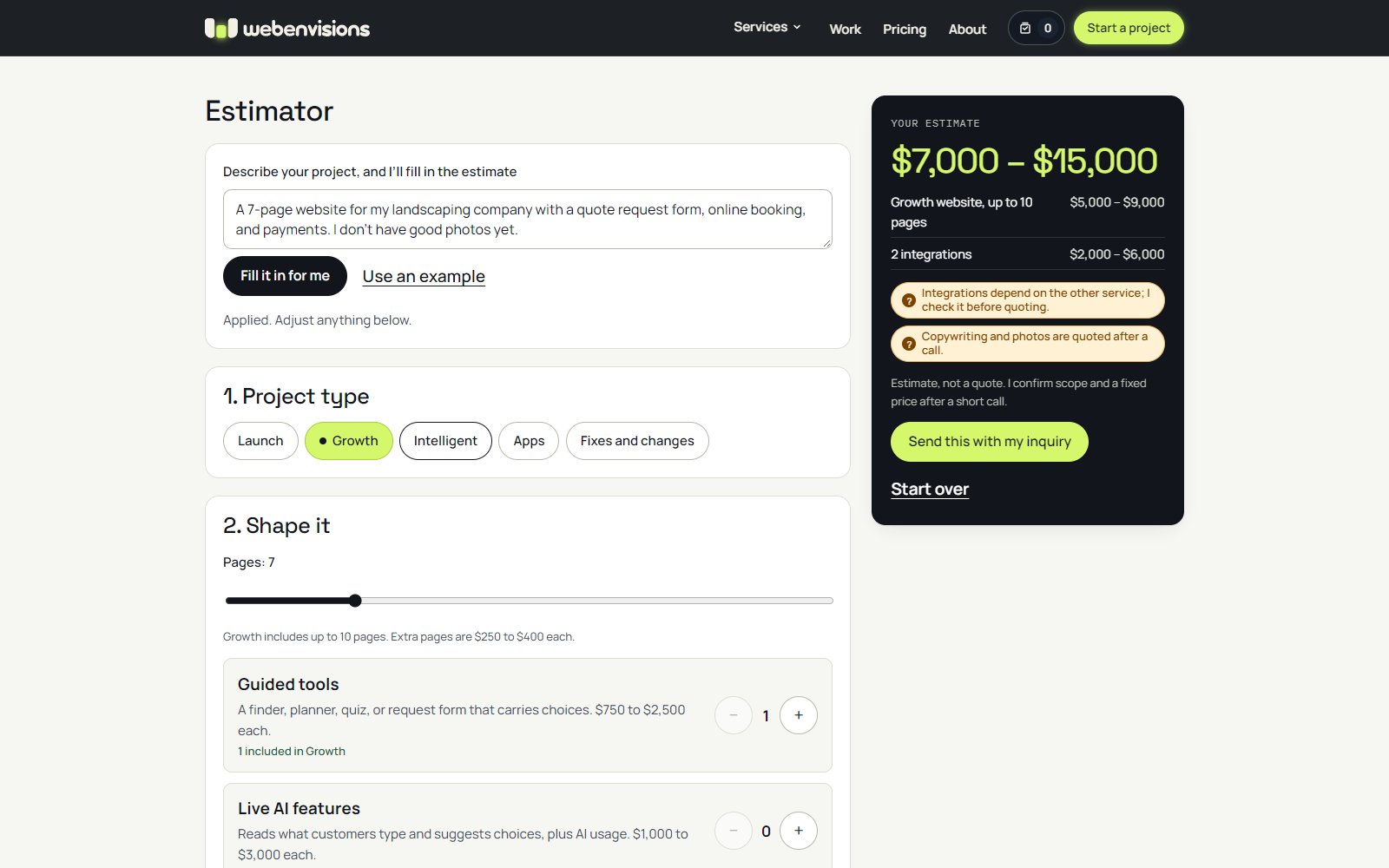
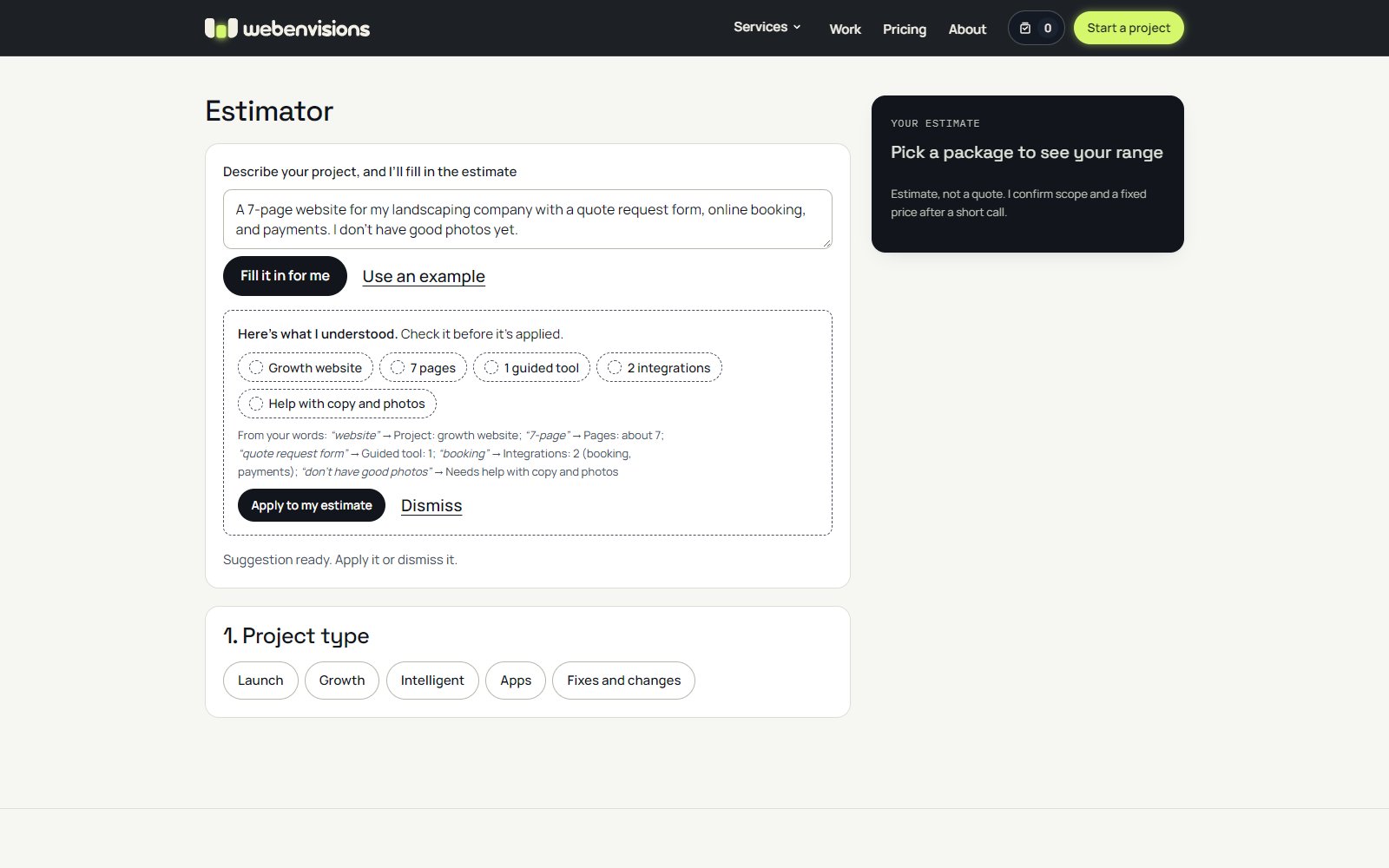
Visitors can type their project in their own words. The estimator shows what it understood, like 'Growth website', '7 pages', '2 integrations', and 'Help with copy and photos', with the words each came from, and nothing changes until they apply it. A description starts a fresh estimate and never drops below what the chosen package includes.
Honest about what a range can't know
Every result is labeled an estimate, not a quote. Things that depend on outside factors are flagged instead of priced, like integrations that depend on the other service, or copywriting and photos that are quoted after a call. The estimate goes along with the inquiry, so the first reply can start from it.

What changed along the way
- Packages first, then the estimator. The first version opened on the estimator; now the page leads with five packages and their ranges, and the estimator stays compact until a package is picked. The idea is that visitors see the options before configuring one.
- Repetition was removed. A second package list, a separate care-plan list, and an extra call to action said the same things twice; cutting them made the page shorter and clearer.
- Prices are typed in exactly one place. After guided tools and AI features got cheaper, the Intelligent package cost more than building the same thing from add-ons, and the Websites page still showed an old hand-typed 'From $10,000'. Intelligent was repriced to $7,500 to $14,000, and the Websites page now reads the pricing file like everything else.
Where it stands
Live on the pricing page, and estimates can be sent along with an inquiry. Estimates are ranges from the approved pricing rules; the fixed price comes in writing once the details are confirmed or a discovery session.
Want something like this for your business?
Get a quote