Blog / Website maintenance
How Do I Stop Bots and Spammers From Filling Out My Website’s Contact Form?
A spam inquiry landed in my own inbox this week. Here’s what I added to stop the next one, and the broader options for keeping bots out of your contact form without annoying real customers.

By Zack Lekas · · 6 min read
This week, a spam inquiry came through my own website’s contact form.
I build websites for a living. Getting spammed through my own form felt a bit like a locksmith coming home to find the front door open.
Form spam is a small problem that gets bigger quietly. A few junk messages a week turn into dozens. Real inquiries get buried between offers for backlinks and crypto. And eventually you stop checking the inbox as carefully, which is exactly when a real customer writes in.
So I fixed it on my own site, the same afternoon. Here’s what I did, and the broader options for keeping bots and spammers out of yours.
The short version
- Figure out who’s sending it. Bots and people typing by hand need different fixes.
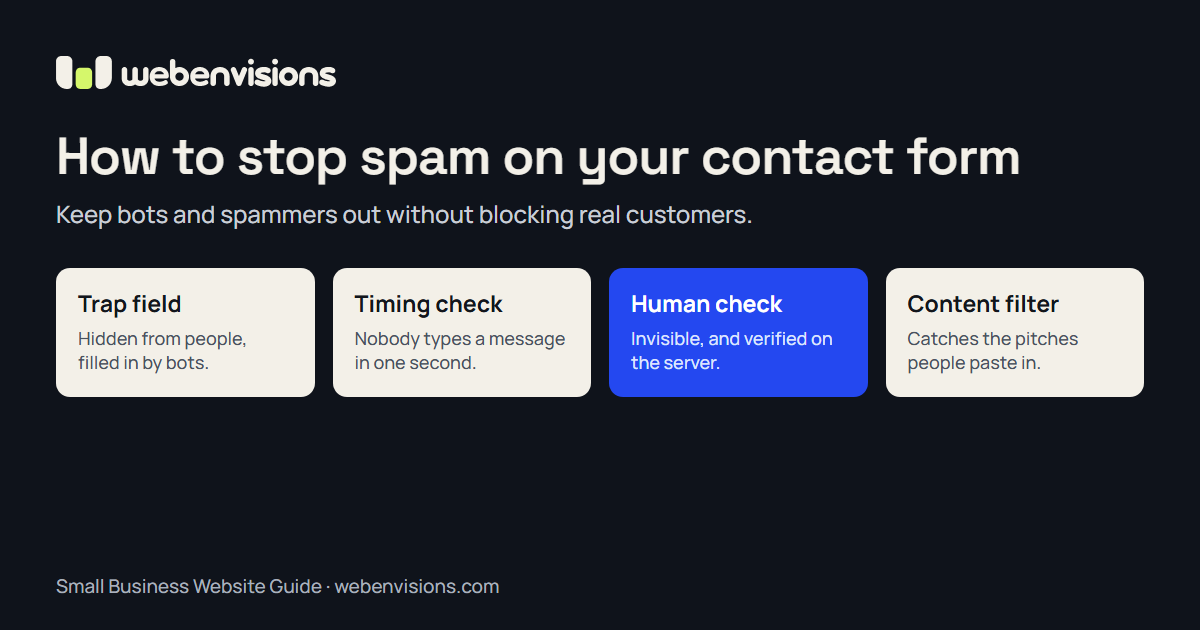
- Add a hidden trap field. Free, invisible to customers, and catches the laziest bots.
- Check how fast the form was filled. People take time to type. Scripts don’t.
- Add an invisible human check. Cloudflare Turnstile, reCAPTCHA, or hCaptcha, checked on the server, not just shown on the page.
- Limit repeat sends. One visitor shouldn’t be able to send fifty messages in a minute.
- Filter the content. The only layer that catches a person pasting a sales pitch.
- Test it after every change. A spam fix that blocks real customers is worse than spam.
1. Figure out what kind of spam you’re getting
Before adding anything, look at a few of the junk messages.
- Gibberish, random links, or the same message over and over? That’s almost certainly a bot.
- A tidy, polite sales pitch for SEO, web design, or “a quick partnership”? Often that’s a real person (or a semi-automated service) pasting the same message into thousands of forms.
This matters because most anti-bot tools prove someone is human. They can’t stop a human who has decided to be annoying. You may need both kinds of protection.
2. Set a trap only a bot would fall into
A honeypot is an extra form field that’s hidden from people but visible to bots reading the page’s code. Real visitors never see it, so they leave it empty. Many bots fill in every field they find.
If that field comes back filled in, the website quietly pretends the message was sent and throws it away. The bot learns nothing, and you never see it.
It costs nothing and customers never notice it. It won’t stop anything clever, but it’s a good first layer. (My site already had one. The spam still got through, which is why there’s more to this article.)
3. Check how fast the form was filled in
Nobody types their name, email, and a thoughtful message in under two seconds. Scripts do it constantly.
A timing check records when the form appeared and how long it was open before someone pressed Send. Anything impossibly fast gets dropped quietly, like the honeypot.
Keep the threshold short. Some people use autofill and a one-line message, and you don’t want to punish efficient customers for being efficient.
4. Add a human check that humans barely notice
This is the big one.
Everyone remembers the old CAPTCHAs: squint at warped letters, click every square with a traffic light, fail, repeat, consider moving to the woods. Modern versions are much kinder.
- Cloudflare Turnstile is free and usually invisible. It quietly checks the browser in the background, and only shows a “Verify you are human” checkbox when it isn’t sure. You don’t need to host your site on Cloudflare to use it.
- Google reCAPTCHA works similarly, with an invisible version that scores each visit.
- hCaptcha is a privacy-focused alternative.
Whichever you pick, the most important detail is easy to miss: the check has to be verified on your server, not just displayed on the page. If the form simply shows a widget, a bot can skip the page and send its message straight to wherever your form submits. The server needs to ask the provider, “Is this token real, and did it come from my website?” before anything gets emailed.
On my site, I added Turnstile to every form that sends an inquiry: the contact form, the giveaway entry, and the “describe your idea” box on the homepage. It only loads once someone starts filling in a form, so it doesn’t slow the page down for everyone else. And if Cloudflare does want a click, the checkbox appears right above the Send button instead of somewhere the visitor has to go looking for it.
One more consideration: some human checks can be hard for people using screen readers or assistive technology. The W3C has written about this. Invisible checks with a simple fallback are much better than puzzles, and you should always give people another way to reach you, like a phone number or email address next to the form.
5. Limit how often one visitor can send
A rate limit caps how many messages one visitor can send in a short window. Three in a minute is plenty for a real person who made a typo. Fifty is a bot.
Many hosting platforms and form services include this. If your site is behind Cloudflare, a rate-limiting rule can do it before the request even reaches your website.
6. Filter what the message actually says
This is the layer that catches the person typing, not the robot.
A content filter looks for patterns: a message stuffed with links, phrases like “guest post,” “backlinks,” or “rank on page one,” or text that doesn’t match anything a customer would actually ask.
- WordPress sites often use Akismet, which checks messages against a huge shared database of known spam.
- Custom sites can use a short list of rules tuned to the junk you actually receive.
Be careful here. Filters can catch real messages, so it’s safer to send suspicious ones to a separate folder than to delete them outright, at least until you trust the rules.
7. Test it like a real customer
Here’s the part people skip.
Every time you change a form, send yourself a real test message from your phone and your computer. Make sure it arrives. A spam fix that silently blocks a paying customer costs far more than a few junk emails ever will.
When I turned on the new checks, I confirmed that messages without a valid check were rejected, then sent a real inquiry through the live form to make sure it still reached my inbox. It did. My article on how to test your website contact form has a full checklist.
Common questions about contact form spam
Why am I suddenly getting spam through my contact form?
Bots constantly scan the web for forms, so a new or newly indexed site often starts receiving spam once it becomes easier to find. It usually means your site is visible, not that it’s been hacked.
Will adding a CAPTCHA scare off real customers?
Old puzzle-style CAPTCHAs can. Invisible checks like Cloudflare Turnstile or reCAPTCHA v3 are rarely noticed by real visitors. Most people never see anything at all.
Is a honeypot enough on its own?
For a small site getting a little spam, it can be. Once spam picks up, combine it with a timing check and a human check verified on your server.
Can I stop people who manually send sales pitches?
Not completely. Content filters help, and so does sending suspicious messages to a separate folder instead of your main inbox. Human checks only prove someone is a person, not that they’re a customer.
Want this fixed on your website?
If junk inquiries are burying your real ones, or you’re not sure your form even works, I can help.
I add spam protection to existing websites on WordPress, Squarespace, Wix, Shopify, and custom builds, and test the whole inquiry journey afterward so real customers still get through. See website repairs and improvements for how pricing works, or check your site’s basics first with the free Website Season Check.
Want your forms watched for you? Website Watch in the Tool Belt checks your pages every week and emails you if something breaks. And if your site needs more than a fix, the Small Business Website Guide is a good place to start.
Spam isn’t personal. It’s just persistent. Your form should be too.
All postsNext: The $0 Marketing Department: How to Promote Your Business Without Selling Your Lawn Mower