
Blog / Website planning
What Should a Contractor Website Include? A Practical Checklist
Homeowners check a contractor’s website to answer four questions: do you do this, do you work here, are you any good, and how do I reach you. Here’s what answers each.

By Zack Lekas · · 3 min read
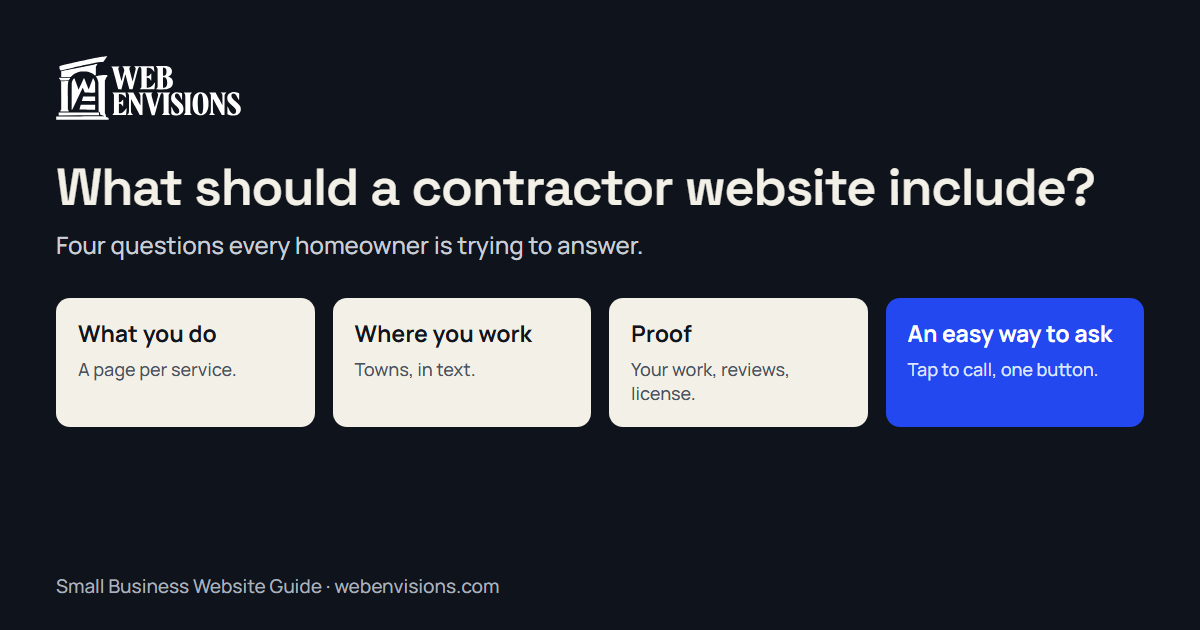
A homeowner looking at a contractor’s website is trying to answer four questions, quickly and usually on a phone:
- Do you do the kind of job I have?
- Do you work where I live?
- Are you any good, and are you legitimate?
- How do I get hold of you?
Everything a contractor website needs follows from those. This is the checklist I work from.
1. What you do, by name
- A homepage that says it in one line. “Kitchen and bath remodels in Bend” beats “Quality craftsmanship since 1998.”
- A page for each main service. Kitchens, additions, decks, roofs. People search for the job, so each one deserves its own page with photos and a short description of how you approach it.
- What you don’t do. If you don’t take repairs under a day, or commercial work, say so. It saves both of you a call.
2. Where you work
- The towns you cover, listed in words Google and people can read, not only a map image.
- How far you’ll travel for a larger job, if that differs.
3. Proof
- Finished work. Real photos of your own jobs, grouped by type. Before-and-after pairs if you have them. A phone photo of your own work beats a stock photo of someone else’s.
- Reviews. Two or three on the homepage, with a link to your Google profile. In my benchmark of 60 Bend trades websites, only 29 showed any reviews or testimonials on the homepage.
- License, bond, and insurance. Your contractor license number where people can see it. Homeowners are told to check, and many do.
- Who you are. A name and a face. People hire people.
4. A way to ask that’s easy for them and useful for you
- A phone number that calls when tapped, at the top of every page. In the same benchmark, 16 of 60 homepages had no tap-to-call link.
- One clear button, the same on every page: “Request an estimate.”
- An estimate request that asks the right questions. Job type, rough size, timing, address, photos. A bare message box gets you “how much for a deck?”; a few tapped questions get you a job you can price. See quote form vs. quote calculator.
- What happens next. “I’ll call within one business day” is enough.
Worth adding once the basics are in
- How pricing works. You don’t need a price list. A typical range, or what drives the cost, keeps a serious buyer on the page.
- Your process. Visit, estimate, schedule, build, walkthrough. Homeowners worry about the unknown.
- Seasonal work up top. If you do snow removal or exterior painting, lead with it when it’s in season.
- Answers to the questions you get every week. Permits, timelines, deposits.
What to leave out
- A slideshow of slogans. It pushes the useful part down the page.
- Stock photos of work that isn’t yours.
- A “coming soon” page for services you might offer.
- Music, pop-ups, or a chat window nobody answers.
The short checklist
- One-line statement of what you do and where
- A page per main service
- Service area in text
- Photos of your own finished work
- Reviews on the homepage
- License number, bond, insurance
- Tap-to-call number on every page
- One request button, everywhere
- A request form that asks about the job
- What happens after they send it
Check your own site
The free website check tests several of these on your homepage in about 30 seconds. For what a site can do beyond the basics, with working demos, see contractor website design.
All postsNext: Why Your Website Isn’t Getting Leads (and How to Fix It)