
Blog / Intelligent UI
What Is Generative UI? Websites That Build the Answer for Each Visitor
Instead of a chat reply, the page builds the answer: a plan, a comparison, the next step. Here’s how generative UI works, using the one on my own homepage.

By Zack Lekas · · 5 min read
Most websites answer every visitor the same way. The same pages, the same paragraphs, the same contact form, whether you run a bakery or a law firm.
Chatbots tried to fix that, but a chat reply is still a wall of text. You read it, then go hunting for the page it mentioned.
Generative UI takes a different approach: the website answers with a small, working interface built for that visitor. A plan with the pages they’d need. A side-by-side of two options. A button that goes straight to the right next step.
There’s one on the Web Envisions homepage right now, so I’ll use it as the example.
What is generative UI?
UI means user interface: the cards, lists, tabs and buttons you tap on a website. Generative UI means an AI model chooses and fills in those pieces for each visitor, based on what they asked, instead of a designer fixing them in advance.
The important part: the AI doesn’t write code or invent new controls. It picks from a set of building blocks the website already has, and the website draws them in its own style.
Try it: the plan builder on my homepage
On the homepage, type a sentence about your business, something like “I run a bakery in Sisters and need online orders”, and press Build my plan.
In about a second, a panel starts drawing itself next to the box:
- the pages your site would need, written for your kind of business
- the package that fits and its real price range, from my price list
- small print saying prices are confirmed in writing first
- two or three buttons: one to the most useful page (a quote, the free website check, booking a call) and one or two follow-up questions like “Could I start smaller?”
Tap a follow-up and the panel rebuilds itself around the new question. It usually finishes in around four seconds.
How it works
Four steps happen every time:
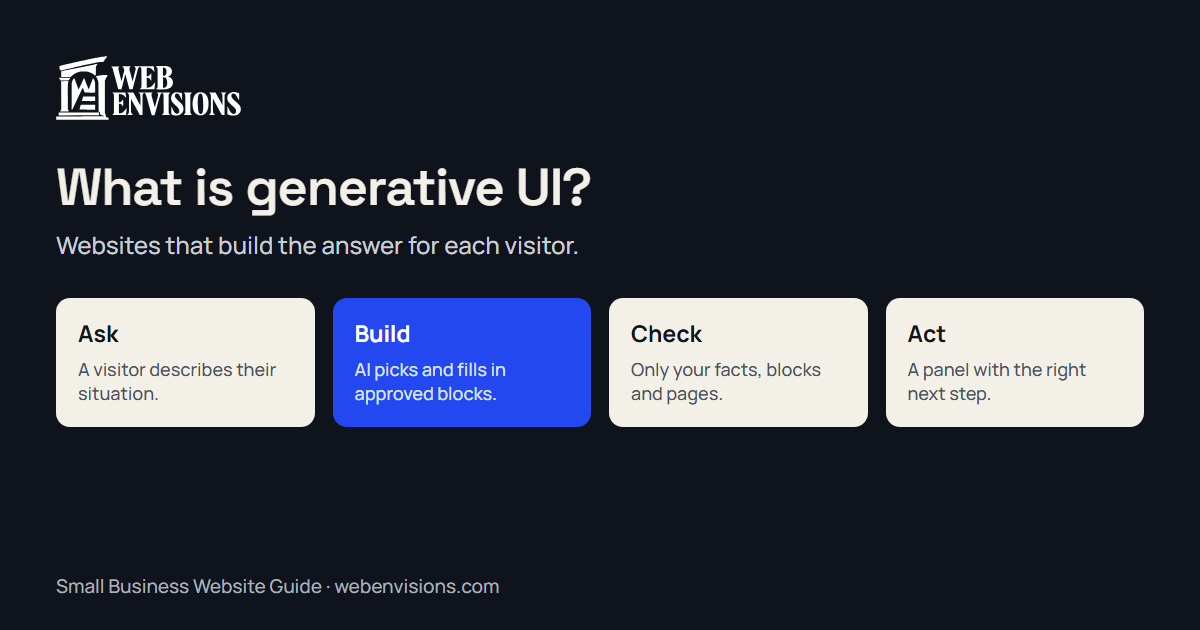
- Ask. You describe your business in your own words.
- Build. An AI model (I use Claude) writes a short description of the panel: which blocks, in what order, with what text.
- Check. The website checks every piece before it reaches your screen. Only approved blocks get through, prices come from my own price list, and buttons can only open pages on my site.
- Draw. Your browser draws the panel with real components, styled like the rest of the site.
The description the AI writes uses A2UI, an open format Google released for exactly this. Google also publishes the code that draws A2UI in the browser, and a toolkit that checks the AI’s output as it streams in. My homepage uses all three. A2UI works with any AI model; Google’s own examples use Gemini, and mine uses Claude.
Why not just use a chatbot?
A chatbot is good for questions with short answers. Generative UI is better when the answer is something you’d want to look at, compare, or act on.
- It’s scannable. A list of pages and a price range read faster than three paragraphs.
- It leads somewhere. The answer comes with the buttons for the next step, not a link buried in a sentence.
- It stays on-brand. The panel uses the site’s own colours, fonts and components, not a chat bubble pasted on top.
- It’s harder to go wrong. The AI can only arrange blocks you’ve approved, so it can’t make up a checkout button or send someone to another website.
How it stays safe and accurate
The main worry with AI on a business website is that it says something untrue. Here’s how the plan builder handles that:
- Facts come from the site. The AI is given the same price list and service details the rest of the site uses, and told not to invent anything beyond them.
- Only approved building blocks. Text, lists, cards, tabs and buttons. No images from elsewhere, no forms that collect data, no code.
- Only your own pages. Every button is checked against the site’s list of pages before it’s shown.
- A safe fallback. If an answer fails the checks, visitors see a simple “Start here” panel pointing to the instant estimate and a quote, instead of an error.
It still doesn’t replace a conversation. Every plan says the price is an estimate until confirmed in writing, and the strongest button is usually “Get a quote”.
Where generative UI helps a small business
It earns its place when visitors arrive with different situations and the right answer depends on theirs:
- “What would this cost me?” A plan or estimate shaped to their project, like the homepage builder.
- “Which one is right for me?” A product or service finder that compares two or three options side by side.
- “What do I do next?” A panel that turns their situation into the right next step: book, call, or check something first.
- “What would you recommend for my space?” Landscaping, remodeling or interior work, where a short description becomes a starter list of options.
When it isn’t worth it
Generative UI isn’t the right first step for every business:
- If customers all need the same thing, a clear page and a good contact form will do the job for less.
- If your prices and services aren’t written down yet, sort that first. The AI can only be as accurate as the facts you give it.
- If you can’t keep an eye on it, skip it for now. Each answer is a paid call to an AI model, and it needs the same occasional check-ins as any feature that talks to customers.
Start with the basics in the Small Business Website Guide, and add generative UI where visitors genuinely get stuck. If you’re weighing the bigger picture, What Is Intelligent UI? covers guided tools more broadly.
A quick check for your website
- Do visitors arrive with very different situations?
- Do you answer the same “what would this cost me?” question over and over?
- Are your prices and services written down clearly enough to share?
- Is there one next step you’d like more visitors to take?
If you answered yes to most of these, generative UI could help.
Try it, then tell me what you’d build
Build a plan on the homepage and see what it makes for your business. If you’d like something like it on your own site, a finder, a planner or a next-step guide, ask for a quote and tell me where your visitors get stuck.
All postsNext: Thank You, The Source, and Thank You, Central Oregon